





















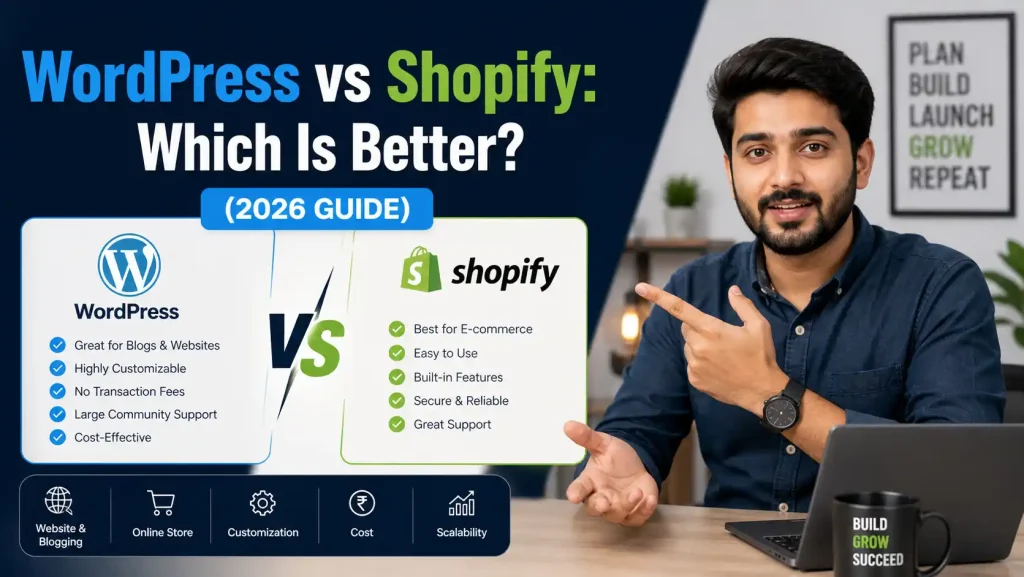
WordPress vs Shopify: Which Platform is Right for You? (2026 Guide)
Introduction
Planning to launch an online store in 2026? You’ve probably come across two names repeatedly: WordPress and Shopify.
Both platforms power millions of successful websites, but they’re fundamentally different. Choosing the wrong one could cost you months of frustration, thousands of rupees, and countless lost sales opportunities.
Here’s the truth: There’s no universal “best” platform. The right choice depends on your business goals, technical skills, budget, and long-term vision.
In this complete guide, we’ll break down WordPress vs Shopify across every critical factor—pricing, ease of use, SEO, design flexibility, and scalability—so you can make a confident, informed decision.
Quick Answer: WordPress vs Shopify at a Glance
Can’t read the full guide right now? Here’s the short version:
Choose Shopify if:
- You want to start selling quickly (within 24-48 hours)
- You're non-technical and don't want to manage hosting
- You need built-in payment processing and security
- You prefer predictable monthly costs
- Your focus is selling products, not blogging
Choose WordPress (with WooCommerce) if:
- You want complete control and ownership
- Content marketing is central to your strategy
- You need unlimited customization options
- You're comfortable with some technical learning
- You want to avoid monthly subscription fees
Now, let’s dive deeper into each aspect.
What Exactly Are WordPress and Shopify?
Before comparing features, let’s understand what each platform actually is.
WordPress: The Open-Source Powerhouse
WordPress powers 43% of all websites on the internet as of 2026. It’s a free, open-source content management system (CMS) that started as a blogging platform.
For E-commerce:
You add the WooCommerce plugin (also free) to transform WordPress into an online store. WooCommerce currently powers over 37% of all online stores globally.
Key Point:
WordPress itself is free, but you need to pay for hosting, domain, security, and premium plugins.
Shopify: The All-in-One E-commerce Solution
Shopify is a proprietary, subscription-based e-commerce platform built specifically for online selling. Everything you need—hosting, security, checkout, payment processing—comes bundled in one package.
As of 2026, Shopify powers over 4.6 million live stores and processes over $200 billion in annual GMV (Gross Merchandise Volume).
Key Point:
You pay a monthly fee, and Shopify handles all technical infrastructure.
The Fundamental Difference
The key difference between WordPress vs Shopify is that WordPress is a content management system whereas Shopify is an ecommerce website builder.
Think of it this way:
WordPress = Owning a house. Complete freedom, but you maintain everything.
Shopify = Renting an apartment. Everything’s managed, but you follow the landlord’s rules.
Cost Comparison: What Will You Actually Pay?
This is where things get interesting. The pricing models are completely different.
Shopify Pricing (2026)
Monthly Plans:
- Basic: $39/month
- Shopify: $79/month
- Advanced: $299/month
- Shopify Plus: $2,300+/month (enterprise)
What's Included:
- Unlimited hosting
- SSL certificate (security)
- Unlimited products
- Built-in checkout
- 24/7 support
Additional Costs:
- Premium themes: $0-$350 (one-time)
- Apps/plugins: $30-$100/month average
- Transaction fees: 2.9% + ₹25 per transaction (with Shopify Payments)
- Custom domain: ₹500-₹1,500/year
Total Realistic Cost:
₹5,000-₹15,000/month for a functioning store
WordPress + WooCommerce Pricing (2026)
Core Software:
- WordPress: Free
- WooCommerce plugin: Free
Mandatory Costs:
- Domain name: ₹500-₹1,500/year
- Web hosting: ₹2,400-₹36,000/year (₹200-₹3,000/month)
- SSL certificate: Free with most hosts
Recommended Additions:
- Premium theme: ₹3,000-₹6,000 (one-time)
- Essential plugins (security, backup, SEO): ₹8,000-₹25,000/year
- Payment gateway fees: Similar to Shopify (2.5-3% per transaction)
- Maintenance/updates: ₹2,000-₹10,000/month (if outsourced)
Total Realistic Cost:
₹3,000-₹12,000/month in Year 1
Real Cost Analysis
For WordPress with WooCommerce, competitive small business stores cost $1,200-1,600 in Year 1 when including domain, hosting, essential plugins, and payment processing fees.
The Hidden Costs:
Shopify Hidden Costs:
- App subscription creep (starts at ₹2,000/month, grows to ₹8,000+)
- Higher transaction fees if not using Shopify Payments
- Advanced features locked behind higher plans
WordPress Hidden Costs:
- Developer fees for customization (₹10,000-₹50,000)
- Security breaches if not properly maintained
- Plugin conflicts requiring troubleshooting
- Your time (5-15 hours/month managing technical issues)
Winner: WordPress is cheaper initially, but Shopify offers more predictable costs. For non-technical owners, Shopify’s time savings justify the higher price.
Ease of Use: How Quickly Can You Launch?
Shopify: Built for Speed
A non-technical person can sign up for Shopify, choose a theme, add products, and have a functioning store within hours.
Setup Process:
- 1. Sign up → 5 minutes
- 2. Choose a theme → 30 minutes
- 3. Add products → 2-4 hours
- 4. Configure payments → 15 minutes
- 5. Go live → Immediately
Total Time to Launch: 24-48 hours for a basic store
Learning Curve: Minimal. If you can use Facebook, you can use Shopify.
WordPress + WooCommerce: More Complex but Powerful
Setup Process:
- 1. Buy domain and hosting → 30 minutes
- 2. Install WordPress → 15 minutes (one-click install)
- 3. Install and configure WooCommerce → 1 hour
- 4. Choose and customize theme → 4-8 hours
- 5. Install essential plugins → 2-3 hours
- 6. Set up payment gateways → 1 hour
- 7. Configure shipping → 2 hours
- 8. Security setup → 1-2 hours
Total Time to Launch: 2-4 weeks for beginners
Learning Curve: Steeper. You’ll need to understand:
- Hosting and server basics
- Plugin compatibility
- Theme customization
- Regular updates and maintenance
Ongoing Maintenance:
Shopify: Zero. Updates happen automatically in the background.
WordPress: You must manually update:
- WordPress core (monthly)
- Plugins (weekly/monthly)
- Themes (occasionally)
- Security patches (as needed)
Winner: Shopify wins decisively on ease of use. WordPress requires ongoing technical attention.
Design & Customization: Making Your Store Unique
Shopify Design Options
Themes:
- 100+ official themes (12 free, rest ₹7,000-₹25,000)
- Thousands of third-party themes
- All themes are mobile-responsive by default
- Built-in theme editor (no coding required)
Customization:
- Drag-and-drop sections
- Color and font changes (easy)
- Layout modifications (moderate)
- Deep customization requires Liquid coding (Shopify's templating language)
Limitations:
- URL structure is fixed (/products/, /collections/)
- Limited control over checkout page (unless on Shopify Plus)
- Cannot access server files
- Theme switching can be complicated
WordPress Design Options
Themes:
- 10,000+ free themes
- 50,000+ premium themes (₹2,000-₹10,000)
- Unlimited custom development possible
- Built-in theme editor (no coding required)
Customization:
- Complete control over every pixel
- Page builders (Elementor, Divi) for visual design
- Access to all source code
- Can modify any aspect of design or functionality
Flexibility:
- Custom post types and taxonomies
- Unlimited content structure
- Full control over URLs
- Can build anything you can imagine
Complexity:
- Requires more technical knowledge
- Design changes can break functionality
- Testing needed after modifications
Winner: WordPress offers unlimited customization but requires technical skills. Shopify is easier but more restrictive.
SEO Capabilities: Getting Found on Google
Both platforms can rank well on Google, but they approach SEO differently.
Shopify SEO
Built-in SEO Features:
- Auto-generated sitemaps
- SSL certificate included
- Mobile-responsive themes
- Fast loading speeds (managed hosting)
- Automatic canonical tags
- Schema markup for products
SEO Limitations:
- Fixed URL structure (/products/, /collections/)
- Basic blogging functionality
- Cannot remove "/collections/" from URLs
- Limited control over technical SEO
Performance:
According to WordPress vs Shopify: Complete SEO Comparison 2026, approximately 65% of Shopify mobile sites pass all three Core Web Vitals, compared to just 44% of WordPress sites.
WordPress SEO
Built-in SEO Features:
- Complete URL customization
- Advanced blogging capabilities
- Unlimited content structure
- Full control over meta tags
SEO Plugins:
- Yoast SEO (free and premium)
- Rank Math (comprehensive)
- All in One SEO
- SEOPress
SEO Advantages:
- Superior content management
- Internal linking suggestions
- Advanced schema markup control
- Better for content-heavy strategies
SEO Challenges:
- Slower speeds on cheap hosting
- Plugin conflicts can hurt SEO
- Requires manual optimization
- Security vulnerabilities if not maintained
Winner: For pure e-commerce, Shopify performs slightly better. For content marketing and SEO-driven growth, WordPress dominates.
Features & Functionality: What Can You Build?
Shopify Core Features
Built-In:
- Unlimited products
- Inventory management
- Multi-channel selling (Facebook, Instagram, Amazon)
- Abandoned cart recovery
- Discount codes and promotions
- Customer accounts
- Basic analytics
- 24/7 support
- POS system for physical stores
Via Apps:
- Email marketing (Klaviyo, Mailchimp)
- Product reviews
- Subscriptions
- Advanced analytics
- Loyalty programs
App Ecosystem: 8,000+ apps (quality-controlled by Shopify)
WordPress + WooCommerce Features
Built-In:
- Unlimited products
- Basic inventory management
- Multiple payment gateways
- Tax calculation
- Shipping zones
- Product variations
Via Plugins:
- Literally anything you can imagine
- 60,000+ WordPress plugins
- 400+ WooCommerce extensions
- Custom development possible
Flexibility: If a feature doesn’t exist, you can build it or hire a developer to create it.
Winner: Tie. Shopify’s curated ecosystem vs WordPress’s unlimited possibilities.
Support & Community
Shopify Support
- 24/7 live chat, email, and phone support
- Extensive documentation
- Shopify Community forums
- Shopify Academy (free courses)
- Dedicated account manager (Shopify Plus)
Response Time: Typically under 5 minutes for live chat
WordPress Support
- No official support (it's open-source)
- Hosting company provides server support
- Plugin developers provide plugin support
- Massive community forums
- Thousands of tutorials and blogs
- Freelance developers available for hire
Response Time: Varies by source (hours to days)
Winner: Shopify offers professional, guaranteed support. WordPress relies on community and third parties.
Security & Reliability
Shopify Security
- Level 1 PCI DSS compliant
- SSL certificate included
- Automatic security updates
- DDoS protection
- 99.98% uptime guarantee
- Hosted infrastructure secured by Shopify
Your Responsibility: Minimal. Just use strong passwords.
WordPress Security
- Security is YOUR responsibility
- SSL certificate (usually free with hosting)
- Must install security plugins (Wordfence, Sucuri)
- Must keep everything updated
- Vulnerable to hacking if not maintained
- Uptime depends on hosting quality
Security Plugins Required:
- Wordfence or Sucuri (₹5,000-₹15,000/year)
- Backup plugin (₹3,000-₹8,000/year)
- Malware scanner
Winner: Shopify handles security completely. WordPress requires active management.
Scalability: Growing Your Business
Shopify Scalability
- Handles traffic spikes automatically
- No performance degradation with more products
- Shopify Plus for enterprise needs
- Built-in CDN for global delivery
- Scales seamlessly from 10 to 10,000 orders/day
Limitations:
- Monthly fees increase with growth
- App costs add up
- Shopify Plus starts at ₹1,80,000/month
WordPress Scalability
- Scales infinitely with proper hosting
- Can handle any amount of traffic (with right infrastructure)
- No platform fees as you grow
- Complete control over performance optimization
Challenges:
- Requires hosting upgrades as you grow
- May need developer help for optimization
- Plugin bloat can slow things down
Winner: Both scale well, but Shopify is easier while WordPress is more cost-effective at scale.
Real-World Scenarios: Which Should You Choose?
Choose Shopify If:
1. You're a First-Time Store Owner
- No technical skills
- Need to launch quickly
- Want peace of mind
2. You're Product-Focused
- Selling physical or digital products
- Need multi-channel selling (Instagram, Facebook Shop)
- Want built-in inventory management
3. You Value Time Over Money
- Don’t want to manage technical details
- Prefer paying for convenience
- Need reliable 24/7 support
4. You're Scaling Fast
- Processing hundreds of orders weekly
- Need enterprise features (Shopify Plus)
- International expansion plans
Perfect For: Fashion brands, beauty products, electronics stores, dropshipping businesses
Choose WordPress If:
1. Content is King for Your Business
- Running a blog alongside products
- SEO-driven traffic strategy
- Publishing guides, tutorials, comparisons
2. You Want Complete Control
- Specific design requirements
- Custom functionality needs
- Want to own your platform
3. Budget is Tight
- Can invest time instead of money
- Comfortable learning technical skills
- Have developer access
4. Complex Business Model
- Membership sites
- Course platforms with products
- Multi-vendor marketplace
- Unique pricing structures
Perfect For: Educational businesses, content creators, service + product businesses, B2B companies
Migration: Can You Switch Later?
Yes, but it’s complicated.
Shopify to WordPress
Difficulty: Moderate Process:
- Export products as CSV
- Use WooCommerce import tools
- Manually recreate design
- Set up 301 redirects Cost: ₹15,000-₹50,000 (professional migration) Time: 2-4 weeks
WordPress to Shopify
Difficulty: Easier Process:
- Use Shopify’s Store Importer app
- Export WooCommerce data
- Import to Shopify
- Redesign store Cost: ₹10,000-₹30,000 (professional help) Time: 1-2 weeks
Pro Tip: Migrations always carry SEO risk. Plan carefully and implement proper redirects.
The Verdict: WordPress vs Shopify 2026
There’s no universal winner. Both platforms excel in different scenarios.
Shopify Wins For:
- Beginners and non-technical users
- Fast launches (days vs weeks)
- Managed security and reliability
- Multi-channel selling
- Predictable costs
- Pure e-commerce focus
WordPress Wins For:
- Complete ownership and control
- Content-driven businesses
- SEO and blogging
- Unlimited customization
- Lower long-term costs
- Complex business models
Frequently Asked Questions
Q: Is WordPress or Shopify better for beginners?
Shopify is significantly easier for complete beginners. You can launch a store in 24 hours without any technical knowledge. WordPress has a steeper learning curve but offers more long-term flexibility.
Q: Which is cheaper: WordPress or Shopify?
WordPress appears cheaper initially (software is free), but costs add up with hosting, plugins, and maintenance. Shopify costs more monthly but includes everything. For most users, the total cost is similar, but WordPress can be cheaper if you’re technical.
Q: Can I migrate from Shopify to WordPress later?
Yes, migration is possible but requires careful planning. You’ll need to export products, set up redirects, and rebuild your design. Professional migration services cost ₹15,000-₹50,000.
Q: Which platform is better for SEO?
Both can rank well. WordPress offers more SEO control and better blogging capabilities. Shopify performs better on technical metrics like page speed. For content-heavy SEO strategies, WordPress wins.
Q: Do I need to know coding for WordPress?
No, but basic HTML/CSS knowledge helps. Page builders like Elementor let you design visually. For advanced customization, you’ll need developer help (which is readily available).
Q: Can Shopify handle high traffic and sales?
Absolutely. Shopify handles traffic spikes automatically and powers some of the world’s largest online stores. It’s built for scale.
Q: Which has better apps/plugins: Shopify or WordPress?
WordPress has more plugins (60,000+ vs 8,000+), but Shopify’s apps are quality-controlled. WordPress offers more variety; Shopify offers more reliability.
Q: Is Shopify worth the monthly cost?
If you value time and want a hassle-free experience, yes. The monthly fee covers hosting, security, updates, and support—tasks that would cost you time or money on WordPress.
Final Recommendation from Onetech Solution
After building hundreds of websites for Indore businesses, here’s our honest advice:
Start with Shopify if:
- This is your first online store
- You need to launch within a week
- You’re selling products primarily (not content)
- You can afford ₹5,000-₹10,000/month
Start with WordPress if:
- Content marketing is central to your strategy
- You have technical skills or budget for a developer
- You need specific custom features
- You want complete platform ownership
The Hybrid Approach:
Many successful businesses use both: WordPress for content-rich blog and brand site, with a Shopify store embedded for products. This combines WordPress’s SEO strength with Shopify’s e-commerce power.
Need Help Deciding?
Choosing the right platform is crucial for your business success. At Onetech Solution, we’ve helped 200+ Indore businesses launch successful online stores on both WordPress and Shopify.
We offer:
✅ Free platform consultation
✅ WordPress + WooCommerce development
✅ Shopify store design and setup
✅ Migration services (Shopify ↔ WordPress)
✅ Ongoing maintenance and support
✅ SEO and digital marketing
Ready to build your online store the right way?
📞 Call us: +91 966-988-5053 | +91 8770-70-3080 📧 Email: info@onetechsolution.in 🌐 Visit: https://onetechsolution.in
Book your free consultation today. We’ll analyze your business needs and recommend the perfect platform—with no pressure, just honest advice from experienced developers.