





















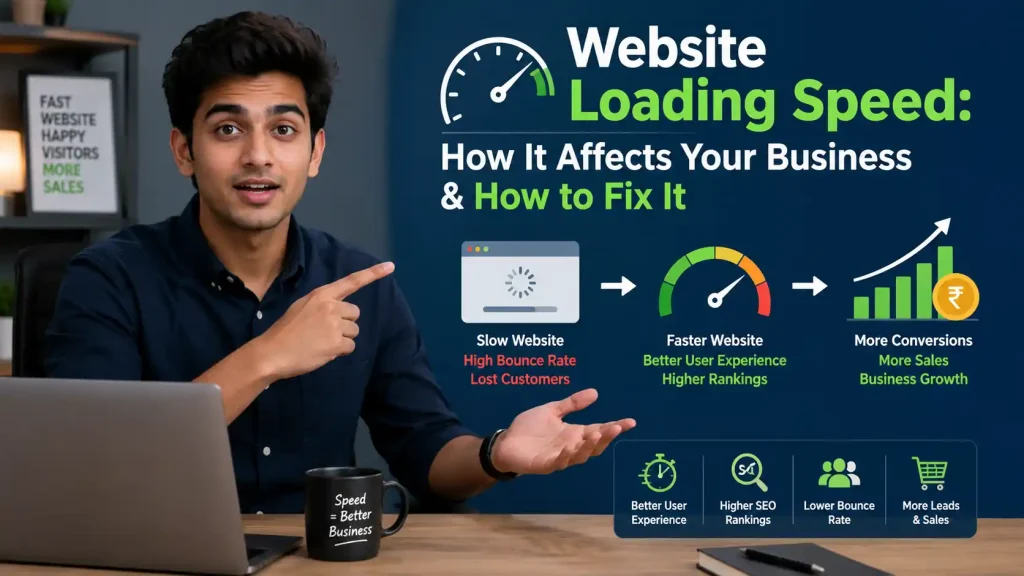
Website Loading Speed: How It Affects Your Business & How to Fix It.
Introduction
In today’s fast-paced digital world, your website loading speed can make or break your business. Research shows that 53% of mobile users abandon sites that take more than 3 seconds to load, and a 0.1-second improvement in speed can increase conversions by 8.4% for retail websites. If your website is slow, you’re literally watching potential customers—and revenue—disappear before they even see your products or services.
In this comprehensive guide, we’ll explore how website loading speed affects every aspect of your business and, most importantly, show you exactly how to fix it. Whether you’re a small business owner in Indore or running an enterprise-level e-commerce store, these strategies will help you create a lightning-fast website that converts visitors into customers.
Why Website Loading Speed Matters for Your Business {#why-speed-matters}
Website loading speed isn’t just a technical metric—it’s a critical business factor that directly impacts your bottom line. Let’s understand why speed should be your top priority in 2026.
User Experience and First Impressions
Your website is often the first interaction potential customers have with your brand. 47% of users expect any website to load in under 2 seconds. When your site loads slowly, you’re creating a negative first impression that’s hard to overcome.
Think about your own browsing behavior. When was the last time you waited patiently for a slow website to load? Most people simply hit the back button and choose a competitor with a faster site. In the competitive online marketplace, you don’t get a second chance to make a first impression.
Mobile Users Demand Speed
With over 60% of internet traffic now coming from mobile devices, mobile website speed has become even more critical. The average WordPress site loads in 2.5 seconds on desktop but takes 13.25 seconds on mobile—a massive difference that costs businesses millions in lost opportunities every day.
Mobile users are often on-the-go, have less patience, and may be dealing with slower network connections. If your website doesn’t load quickly on smartphones, you’re effectively turning away the majority of your potential audience.
Trust and Brand Perception
A slow website doesn’t just frustrate users—it damages your brand reputation. Studies indicate that slow loading times negatively affect how customers perceive brand reliability and professionalism. When your website is fast, it signals that you’re a modern, efficient business that values customer time.
The Real Cost of a Slow Website {#real-cost}
Let’s talk numbers. A slow website isn’t just annoying—it’s expensive.
Lost Revenue and Conversions
Each 1-second delay reduces user satisfaction by 16%, and the impact on conversions is even more dramatic. If your e-commerce site makes ₹10 lakh per month and your page load time increases from 2 seconds to 5 seconds, you could lose up to 30% of potential conversions—that’s ₹3 lakh in monthly revenue gone due to poor website performance.
Research has found that conversion rates peak when websites load within one or two seconds. As load time increases beyond three seconds, conversion rates plummet dramatically.
Increased Bounce Rates
A 1-second delay in website loading speed could reduce page views by as much as 11%. When users bounce from your site immediately, they’re not viewing your products, not reading your content, and definitely not becoming customers.
High bounce rates also send negative signals to search engines, which can further hurt your rankings and organic traffic—creating a vicious cycle of poor performance.
Lower Customer Satisfaction
Customer satisfaction is the foundation of repeat business and word-of-mouth marketing. When website speed is poor, customer satisfaction drops significantly. Frustrated users are unlikely to return to your site, leave positive reviews, or recommend your business to others.
Competitive Disadvantage
While you’re losing customers to slow load times, your competitors with faster websites are gaining market share. In highly competitive industries, website speed can be the differentiator that determines who gets the sale.
How Website Speed Affects SEO Rankings {#seo-impact}
Website loading speed is a confirmed ranking factor for Google, and in 2026, it’s more important than ever.
Google's Core Web Vitals
Google now uses specific speed metrics, including Largest Contentful Paint, Interaction to Next Paint, and Cumulative Layout Shift, to evaluate page quality and determine search rankings. Websites that don’t meet Google’s “Good” thresholds risk losing organic visibility.
According to data, Google had the highest speed index score among the 100 most visited websites in 2026, with a score of 1, setting the benchmark that other sites should aim for.
Organic Traffic Impact
Lower rankings directly translate to less organic traffic. If your slow website causes you to drop from the first position to the fourth position on Google’s search results page, you could lose up to 70% of potential click-throughs. For a business relying on organic search traffic, this is catastrophic.
Mobile-First Indexing
Google now primarily uses the mobile version of your website for indexing and ranking. If your mobile site is slow, you’re penalized in search results across all devices. This makes mobile optimization not just important—it’s essential for SEO success.
User Behavior Signals
Search engines track user behavior signals like bounce rate, time on site, and pages per session. Slow websites perform poorly on all these metrics, which Google interprets as a sign of low-quality content or poor user experience, further hurting your rankings.
Understanding Website Speed Metrics {#speed-metrics}
Before you can improve your website speed, you need to understand what to measure.
Time to First Byte (TTFB)
TTFB measures how long it takes for your server to start sending data to the browser after a user requests a page. A slow TTFB typically indicates server or hosting issues. Ideally, TTFB should be under 200 milliseconds.
Largest Contentful Paint (LCP)
LCP measures how long it takes for the main content of your page to become visible. Google recommends under 2 seconds as the benchmark for good performance. This is one of the most important metrics because it directly affects perceived speed.
First Input Delay (FID) / Interaction to Next Paint (INP)
These metrics measure how quickly your website responds when users interact with it—clicking buttons, opening menus, or filling forms. Fast interactivity is crucial for user satisfaction. INP has become increasingly important in 2026 as Google emphasizes responsive user experiences.
Cumulative Layout Shift (CLS)
CLS measures visual stability—whether elements on your page shift around unexpectedly while loading. Poor CLS scores frustrate users and can cause them to click the wrong buttons or links accidentally.
Page Size and Request Count
The total size of your webpage (including images, scripts, and other files) and the number of HTTP requests needed to load it significantly impact speed. Smaller, more efficient pages load faster.
15 Proven Ways to Improve Website Loading Speed {#15-ways-to-fix}
Now let’s get to the actionable solutions. Here are 15 proven strategies to dramatically improve your website loading speed.
1. Choose Quality Web Hosting
Your hosting provider is the foundation of your website speed. A slow server delays every page load, regardless of optimization efforts. Investing in quality hosting—whether shared hosting optimized for your CMS, VPS hosting, or cloud hosting—can reduce load times by 50% or more.
Action Step: If you’re on cheap shared hosting and experiencing slow speeds, consider upgrading to a performance-optimized hosting provider that specializes in your platform (WordPress, Shopify, etc.).
2. Implement Browser Caching
Browser caching stores copies of your website files on visitors’ devices, so returning users don’t have to download everything again. This can reduce load times by up to 60% for repeat visitors.
Action Step: For WordPress sites, install caching plugins like WP Rocket, W3 Total Cache, or WP Super Cache. For other platforms, configure caching rules in your .htaccess file or server configuration.
3. Optimize and Compress Images
Images typically account for 60-75% of total page weight. Large, unoptimized images are the number one cause of slow websites. Modern image formats can reduce file sizes dramatically without visible quality loss.
Action Step:
- Resize images to actual display dimensions before uploading
- Use image compression tools like TinyPNG or ImageOptim to reduce file size by 70-80%
- Convert images to next-generation formats like WebP or AVIF
- Implement lazy loading so images load only when users scroll to them
4. Use a Content Delivery Network (CDN)
A CDN distributes your website content across multiple servers worldwide, delivering files from the server closest to each user. This can reduce load times by 50% or more for international visitors.
Action Step: Sign up for CDN services like Cloudflare (offers a free plan), Amazon CloudFront, or KeyCDN, and configure your website to serve static content through the CDN.
5. Minify CSS, JavaScript, and HTML
Minification removes unnecessary characters—spaces, line breaks, comments—from your code files, reducing their size and allowing browsers to process them faster.
Action Step: Use tools like Autoptimize (WordPress plugin), UglifyJS for JavaScript, or online minification tools. Most modern build processes and caching plugins include minification features.
6. Reduce HTTP Requests
Each file on your webpage—images, scripts, stylesheets—requires a separate HTTP request. More requests mean slower loading. Reducing the number of requests can dramatically improve speed.
Action Step:
- Combine multiple CSS files into one
- Combine multiple JavaScript files into one
- Use CSS sprites to combine small images
- Remove unnecessary plugins and third-party scripts
- Implement asynchronous loading for non-critical scripts
7. Enable GZIP Compression
GZIP compression reduces the size of your HTML, CSS, and JavaScript files by up to 70% before sending them to browsers, significantly speeding up transfer times.
Action Step: Enable GZIP compression in your server configuration or through your hosting control panel. Most quality hosting providers have this enabled by default, but it’s worth verifying.
8. Optimize Your Database
If you’re running WordPress or another CMS, your database can become bloated with revisions, spam comments, and transient data, slowing down queries and page generation.
Action Step: Use database optimization plugins like WP-Optimize or manually clean up your database by removing post revisions, spam, trashed items, and expired transients.
9. Reduce Server Response Time
Your server needs to process requests quickly. Slow server response (high TTFB) holds up everything else.
Action Step:
- Upgrade hosting if needed
- Use PHP 8.0 or later (significant performance improvements over older versions)
- Implement server-side caching
- Optimize your application code
- Use object caching for database queries
10. Eliminate Render-Blocking Resources
Some CSS and JavaScript files block your page from rendering until they’re fully loaded. Eliminating or deferring these resources allows visible content to display faster.
Action Step:
- Inline critical CSS (the styling needed for above-the-fold content)
- Defer non-critical CSS loading
- Use async or defer attributes for JavaScript files
- Load JavaScript at the end of your HTML body
11. Remove Unnecessary Plugins and Scripts
Every plugin or third-party script adds code, database queries, and HTTP requests. Many websites accumulate plugins over time that are no longer needed or used.
Action Step: Audit your plugins and scripts. Deactivate and delete any that aren’t essential. For WordPress, aim for 20 or fewer active plugins—quality over quantity.
12. Implement Lazy Loading
Lazy loading delays loading images and videos until they’re needed (when users scroll to them), dramatically reducing initial page load time.
Action Step: Modern browsers support native lazy loading. Add loading="lazy" attribute to your image tags, or use plugins that implement lazy loading for images, videos, and iframes.
13. Optimize Web Fonts
Custom fonts can add significant load time. Each font variant (regular, bold, italic) requires a separate download.
Action Step:
- Limit font variants to only what you actually use
- Use system fonts where possible
- Implement font-display: swap to show text immediately with a fallback font
- Host fonts locally rather than loading from Google Fonts
14. Remove Redirect Chains
Each redirect adds an extra HTTP request and increases load time. Redirect chains (A→B→C) are particularly problematic.
Action Step: Audit your site for redirects using tools like Screaming Frog or Semrush Site Audit. Update all links to point directly to final destinations, eliminating unnecessary redirects.
15. Upgrade to HTTP/2 or HTTP/3
HTTP/2 and HTTP/3 offer significant performance improvements over HTTP/1.1, including multiplexing (loading multiple files simultaneously), header compression, and server push.
Action Step: Check with your hosting provider about HTTP/2 or HTTP/3 support. Most modern hosts support these protocols, but you may need to enable them or ensure your site has an SSL certificate (required for HTTP/2).
How to Test Your Website Speed {#testing-tools}
You can’t improve what you don’t measure. Here are the best tools for testing website loading speed:
Google PageSpeed Insights
Free tool from Google that measures both desktop and mobile performance, provides scores based on Core Web Vitals, and offers specific recommendations for improvement. This should be your starting point.
GTmetrix
Comprehensive testing tool that shows detailed waterfall charts, identifies specific bottlenecks, and tracks performance over time. Offers both free and paid versions.
Pingdom Website Speed Test
Simple, easy-to-understand tool that tests from multiple global locations and provides clear recommendations. Great for beginners.
WebPageTest
Advanced tool for developers that offers detailed technical analysis, including filmstrip views showing how your page loads over time.
Lighthouse (Chrome DevTools)
Built into Chrome browser, accessible through DevTools (F12 → Lighthouse tab). Provides comprehensive audits of performance, accessibility, SEO, and more.
How to Test:
- Visit your website
- Run tests on both desktop and mobile
- Note your Core Web Vitals scores
- Identify the biggest issues flagged
- Prioritize fixes based on impact
- Re-test after implementing changes
Common Mistakes That Slow Down Websites {#common-mistakes}
Avoid these critical errors that sabotage website performance:
❌ Using Low-Quality Hosting
Choosing hosting based solely on price is a false economy. Cheap hosting with slow servers, limited resources, and shared overloaded environments guarantees poor performance.
❌ Uploading Unoptimized Images
Uploading photos directly from cameras or smartphones without resizing and compression. A 5MB image that displays at 800px width wastes 80%+ bandwidth and time.
❌ Installing Too Many Plugins
Each plugin adds code, database queries, and potential conflicts. Many website owners install plugins for every minor function, creating a bloated, slow site.
❌ Not Using Caching
Running a website without any caching means every page view requires full processing and database queries—completely unnecessary for static content.
❌ Ignoring Mobile Performance
Testing only on desktop with fast internet and ignoring how the site performs on mobile networks. Most users are on mobile with varying connection speeds.
❌ Not Keeping Software Updated
Running outdated PHP, WordPress core, themes, or plugins. Newer versions often include significant performance improvements.
❌ Using Too Many External Scripts
Loading social media widgets, analytics, advertising, chat widgets, and other third-party scripts. Each external request adds latency and potential points of failure.
❌ Auto-Playing Videos
Videos that auto-play on page load consume enormous bandwidth and dramatically slow load times, especially on mobile.
Conclusion {#conclusion}
Website loading speed is not optional—it’s a fundamental requirement for online business success in 2026. Every second of delay costs you customers, conversions, and revenue. The good news? You now have a complete roadmap to create a lightning-fast website.
Start with the quick wins:
- Test your current speed with Google PageSpeed Insights
- Optimize your images (often the biggest impact)
- Enable caching
- Consider upgrading your hosting if it’s the bottleneck
Remember, the average load time for the top 100 most visited websites is 8.28 seconds, but the industry benchmark for good performance is under 2 seconds. This means there’s a massive opportunity to gain competitive advantage simply by optimizing your website speed.
Don’t let a slow website hold your business back. Implement these strategies systematically, measure your progress, and watch your conversion rates, SEO rankings, and customer satisfaction improve.
Need Help Speeding Up Your Website?
At Onetech Solution, we specialize in website performance optimization and can help you achieve lightning-fast load times that convert visitors into customers. Our expert team will:
✅ Conduct comprehensive speed audits
✅ Implement proven optimization techniques
✅ Upgrade your hosting infrastructure if needed
✅ Ensure your website loads in under 2 seconds
✅ Improve your Core Web Vitals scores
✅ Boost your Google rankings and conversions
Get a Free Website Speed Audit Today!
📞 Call us: +91 966-988-5053 | +91 8770-70-3080
📧 Email: info@onetechsolution.in
🌐 Visit: https://onetechsolution.in
Located in Indore: EE42, Super City, Near Gyanshila Square, Dhhabli, Indore (M.P.)
Don’t let slow website speed cost you another sale. Contact Onetech Solution today and turn your website into a high-performance conversion machine!