










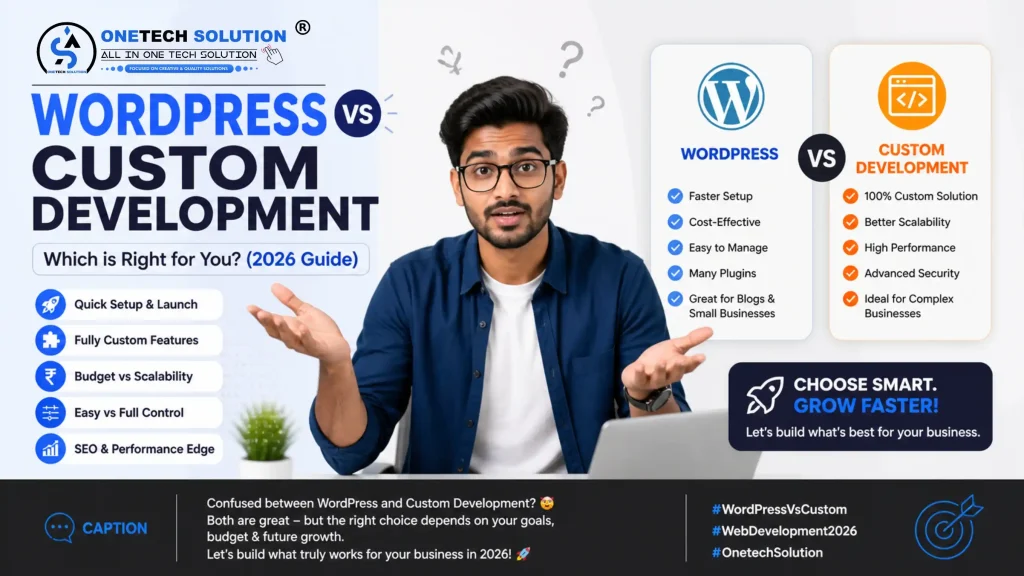
WordPress vs. Custom Development: The Ultimate Guide to Choosing Your Digital Foundation
Introduction
Choosing between WordPress and a custom-coded solution is one of the most critical decisions a business owner or project manager will make. This choice dictates your site’s speed, security, scalability, and, ultimately, your bottom line.
In this guide, we will strip away the marketing fluff and look at the raw data, technical requirements, and long-term implications of both paths.
1. Understanding the Core Philosophy
Before diving into the “which is better” debate, we must define what these two options actually represent in the modern web landscape.
What is WordPress?
WordPress is a Content Management System (CMS). At its core, it is a powerful software suite that allows you to manage digital content without necessarily writing code from scratch. It powers over 40% of the internet, ranging from small personal blogs to massive enterprise sites like NASA and The New York Times.
What is Custom Development?
Custom development refers to building a website “from the ground up” using programming languages like HTML, CSS, JavaScript, and backend frameworks (like React, Vue, Node.js, or PHP/Laravel). There is no pre-built admin panel unless the developer builds one for you.
2. The WordPress Powerhouse: Speed to Market and Flexibility
WordPress has evolved far beyond its blogging roots. For 90% of businesses, it offers a perfect balance of power and usability.
The Pros of WordPress
Rapid Deployment: Because the infrastructure is already built, you can go from concept to live site in a fraction of the time it takes to hand-code.
The Ecosystem: With thousands of plugins (like Yoast for SEO or WooCommerce for e-commerce) and themes, you can add complex functionality (membership portals, booking systems, etc.) in minutes.
User-Friendly Management: You don’t need a developer to fix a typo or upload a blog post. The Gutenberg editor and page builders allow for intuitive “What You See Is What You Get” (WYSIWYG) editing.
SEO Dominance: WordPress is inherently built for SEO. Its code structure is clean, and tools like RankMath or Yoast simplify technical SEO tasks like schema markup and XML sitemaps.
The Cons of WordPress
- Maintenance Overhead: You are responsible for updates. If you ignore plugin or core updates, your site becomes vulnerable to hacks.
- Performance Bloat: If not optimized correctly, WordPress sites can become “heavy” due to excessive plugins or poorly coded themes.
- Design Limitations: While page builders are flexible, you are sometimes bound by the “logic” of the platform.
3. Custom Development: The Tailored Excellence
When a “standard” solution isn’t enough, custom development enters the room. This is for projects with unique logic or extreme performance requirements.
The Pros of Custom Development
- Total Creative Freedom: Every single pixel and animation is crafted specifically for your brand. There are no “plugin limitations.”
- Superior Performance: Custom sites only include the code they need. There is no “bloat,” leading to lightning-fast load times and perfect Core Web Vitals.
- High-Level Security: Because custom sites don’t use common open-source platforms, they aren’t “easy targets” for automated bot attacks.
- Scalability: A custom site is built to handle your specific traffic and data needs, growing as your business grows without hitting platform “ceilings.”
The Cons of Custom Development
High Initial Cost: You are paying for manual labor. Development hours add up quickly.
Longer Timelines: Building from scratch takes time—often months instead of weeks.
Developer Dependency: You cannot easily manage a custom site without a developer. Simple changes often require code edits.
4. Head-to-Head Comparison: The Technical Breakdown
A. Performance & Speed
WordPress: Performance depends on hosting and optimization. Using lightweight themes (like Hello Elementor or Astra) and advanced caching (WP Rocket) can lead to sub-second load times.
Custom: Custom sites almost always win on raw speed. Without the overhead of a CMS, the browser has much less code to parse.
B. Security Protocols
- WordPress: Security is a shared responsibility. Using security headers, 2FA, and reputable hosting (Managed WordPress) makes it very secure. However, outdated plugins are the #1 entry point for hackers.
- Custom: Security is “baked in.” Because the architecture is unique, there is no “publicly known” vulnerability list for hackers to exploit.
C. Search Engine Optimization (SEO)
SEO isn’t just about keywords; it’s about how Google’s bots read your site.
- WordPress: Excellent out of the box. Tools handle the technical heavy lifting (Open Graph tags, breadcrumbs, etc.).
- Custom: Requires a developer who understands SEO. If they forget to include meta tags or a sitemap in the code, your rankings will suffer.
5. Cost Analysis: Short Term vs. Long Term
A common mistake is looking only at the “launch price.”
| Feature | WordPress | Custom Development |
| Initial Build | Low to Moderate | High |
| Maintenance | Moderate (Monthly updates) | Low (Until something breaks) |
| Feature Additions | Low (Plugin-based) | High (New code needed) |
| Hosting | Affordable | Can be expensive (Cloud/VPS) |
💰 Cost Comparison
🟢 WordPress Cost
- Website: ₹10,000 – ₹50,000
- Plugins: ₹2,000 – ₹20,000
- Maintenance: Low
Total: Affordable
🔴 Custom Development Cost
- Development: ₹50,000 – ₹5,00,000+
- Maintenance: High
- Developer cost: Ongoing
Total: Expensive
🧠 Ease of Use
WordPress:
✔ Beginner-friendly
✔ No coding needed
✔ Quick updates
Custom Development:
❌ Requires developers
❌ Technical knowledge needed
Winner: WordPress
🎨 Design & Customization
WordPress:
- Themes available
- Limited customization without coding
Custom:
- 100% unique design
- Full control
Winner: Custom Development
⚡ Performance Comparison
WordPress:
- Depends on plugins
- Can be slow if poorly optimized
Custom:
- Optimized performance
- Faster loading
Winner: Custom Development
🔍 SEO Capabilities
WordPress:
- Plugins like RankMath
- Easy SEO setup
Custom:
- Full SEO control
- Requires expertise
Winner: Tie (depends on implementation)
🔐 Security
WordPress:
- Needs plugins
- Vulnerable if not updated
Custom:
- More secure (if built properly)
Winner: Custom Development
📈 Scalability
WordPress:
- Good for medium scale
Custom:
- Best for large-scale apps
Winner: Custom Development
🔥 Real-Life Example
A small business using WordPress:
✔ Launches quickly
✔ Low cost
✔ Easy management
A large platform using custom:
✔ Handles thousands of users
✔ Advanced features
✔ High performance
🔥 Real-Life Example
Choose WordPress if:
- Low budget
- Need fast launch
- Simple business website
Choose Custom Development if:
- Complex features needed
- High traffic expected
- Long-term scalability required
🔥 Expert Recommendation
For most businesses in India:
👉 Start with WordPress
👉 Scale to Custom Development later
⚠️ Common Mistakes
❌ Choosing custom too early
❌ Using too many plugins
❌ Ignoring performance
🚀 Future Trend
- AI-powered websites
- Headless CMS
- Hybrid development
❓ FAQs
Q1. Which is better WordPress or custom?
Depends on your business needs
Q2. Is WordPress enough?
Yes, for most businesses
Q3. Is custom expensive?
Yes, but scalable
📢 Final Verdict
WordPress vs Custom Development is not about better or worse — it’s about choosing the right tool.
- WordPress = Speed + affordability
- Custom = Power + scalability
Ready to Build Your Website the Right Way?
Let Onetech Solution help you choose and build the perfect website for your business — whether WordPress or custom development.